
Self Assessment for investors: SA108, SA106 & SA100
Most of the work in a tax return is figuring out which boxes your numbers go in. If you bought and sold shares, held some crypto, traded a few options, or got a dividend from a US or European company, three forms cover almost all of it. Here's what each one is for, and how this calculator fills them in for you.
The three forms
| Form | What it covers | Main boxes |
|---|---|---|
| SA108 | Capital gains — shares, crypto, options, currency | 23–27, 13.1–13.8, 14–19, 45, 47 |
| SA106 | Foreign income — overseas dividends and interest | 2, 3, 4, 5, 6 + per-country grid |
| SA100 | UK dividends and UK interest (the main return) | Page TR 3 |
You only file the pages you need. No disposals? Skip SA108. No foreign income? Skip SA106. The calculator works out which ones apply from your broker file and shows you the figure for every box.
SA108 — Capital gains
This is the Capital Gains Summary. Every time you sell an asset for more (or less) than you paid, the gain or loss goes here, grouped by the type of asset:
| SA108 section | Proceeds | Cost | Gains | Losses |
|---|---|---|---|---|
| Listed shares & securities | Box 24 | Box 25 | Box 26 | Box 27 |
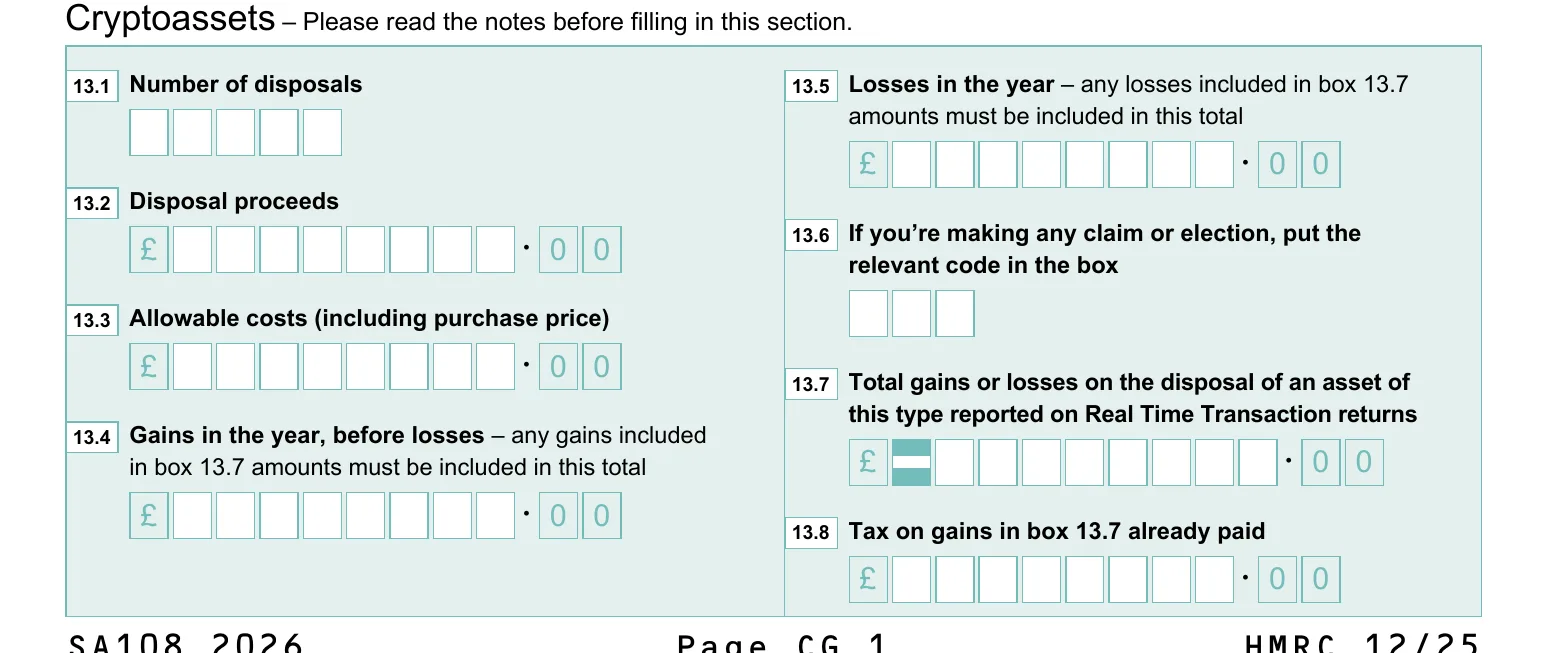
| Cryptoassets | Box 13.2 | Box 13.3 | Box 13.4 | Box 13.5 |
| Other (bonds, options, FX) | Box 15 | Box 16 | Box 17 | Box 19 |
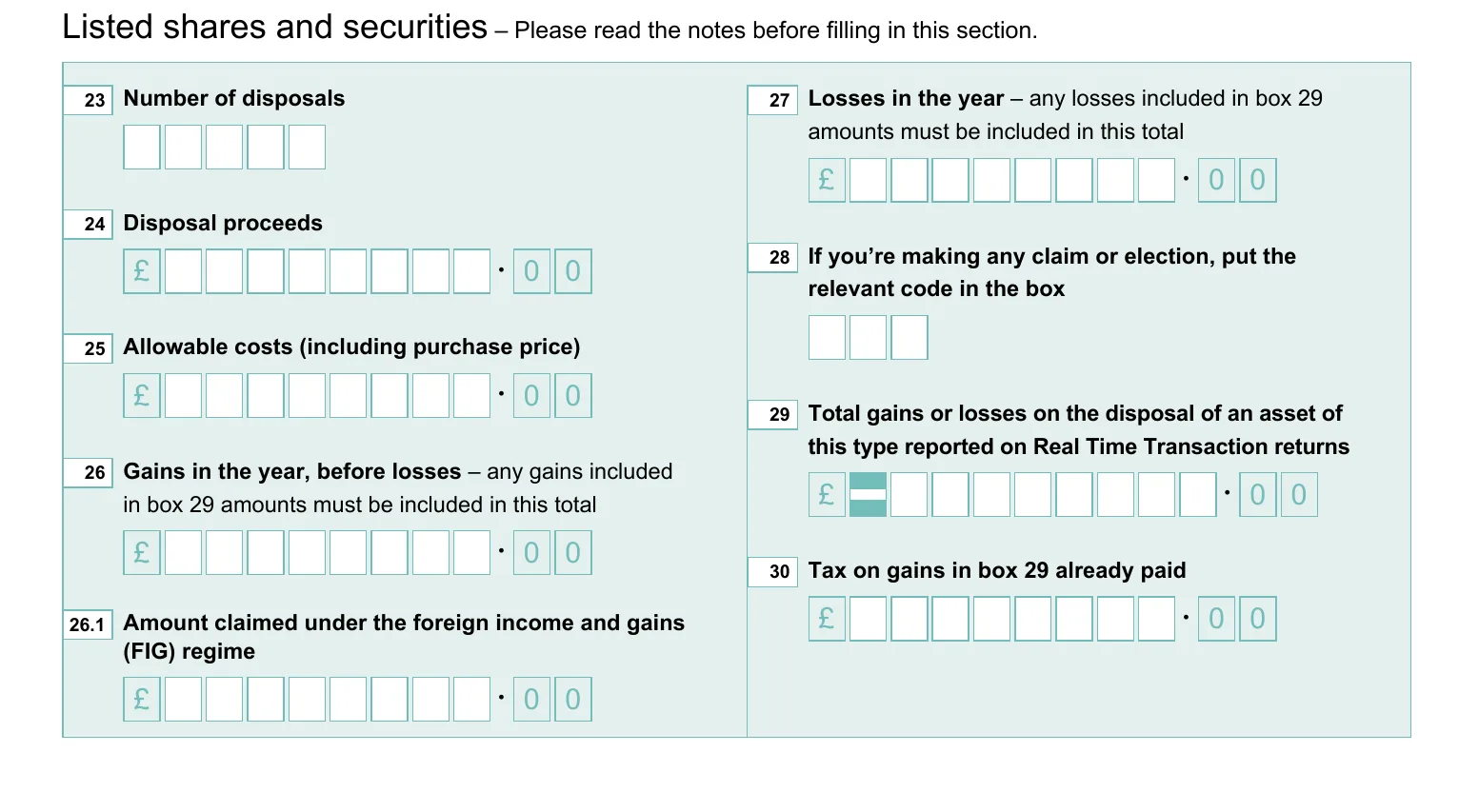
Each section wants three numbers: total proceeds, total allowable cost, and the gain (or loss). The calculator applies HMRC's share-matching rules — same day, then the 30-day “bed and breakfast” rule, then the Section 104 pool — converts every foreign trade to sterling at HMRC's monthly rate, and totals each section for you. Losses you can't use this year land in box 47 to carry forward.
Crypto got its own section (boxes 13.1–13.8) from 2024–25 onwards. Before that it went in “Other property”.
SA106 — Foreign income
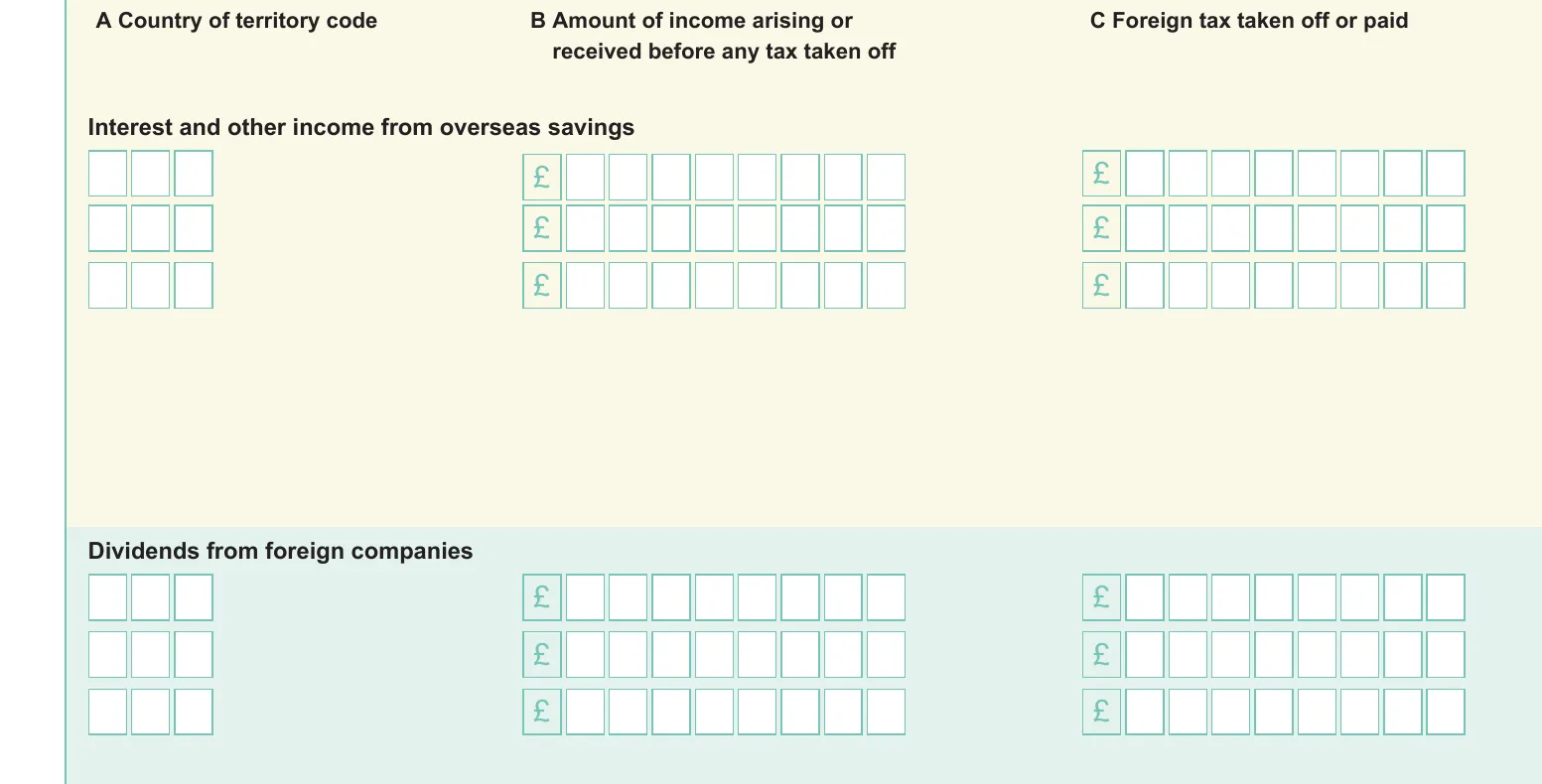
If a foreign company paid you a dividend — or an overseas account paid interest — it usually goes on the Foreign pages, not the main return. SA106 is a per-row grid: one line per country, with the gross amount, the foreign tax taken off, and the taxable amount.
$100 gross dividend, US withholds $15 (15%). At FX rate 0.79: declare £79 income, claim £11.85 tax credit. You pay UK tax on £79 minus the £11.85 credit. The calculator matches withholding tax to dividends automatically.
The country matters, and this is where a lot of tools get it wrong. The country is where the company is registered, not the currency it trades in. A German company paying in euros is German income — not Irish — even though plenty of euro-denominated funds are Irish. The calculator reads the country from each holding's ISIN (the code that starts with two letters for the country of registration), so a DE… stock is Germany and an IE… fund is Ireland, even when both pay in euros.
Foreign Tax Credit Relief, worked through
Say you received £1,000 of dividends from a German company and Germany withheld tax at 26.375% — that's £263.75. You don't lose that money twice. You claim Foreign Tax Credit Relief: a credit against your UK tax for the foreign tax already paid.
The relief is the smaller of two figures: the foreign tax you paid, or the UK tax due on the same income. On top of that, the UK–Germany tax treaty caps the credit on portfolio dividends at 15%. So on £1,000 you can claim back up to £150, even though £263.75 was withheld. On SA106 you'd enter Germany, the £1,000 gross, the £263.75 foreign tax, and tick the box to claim the relief.
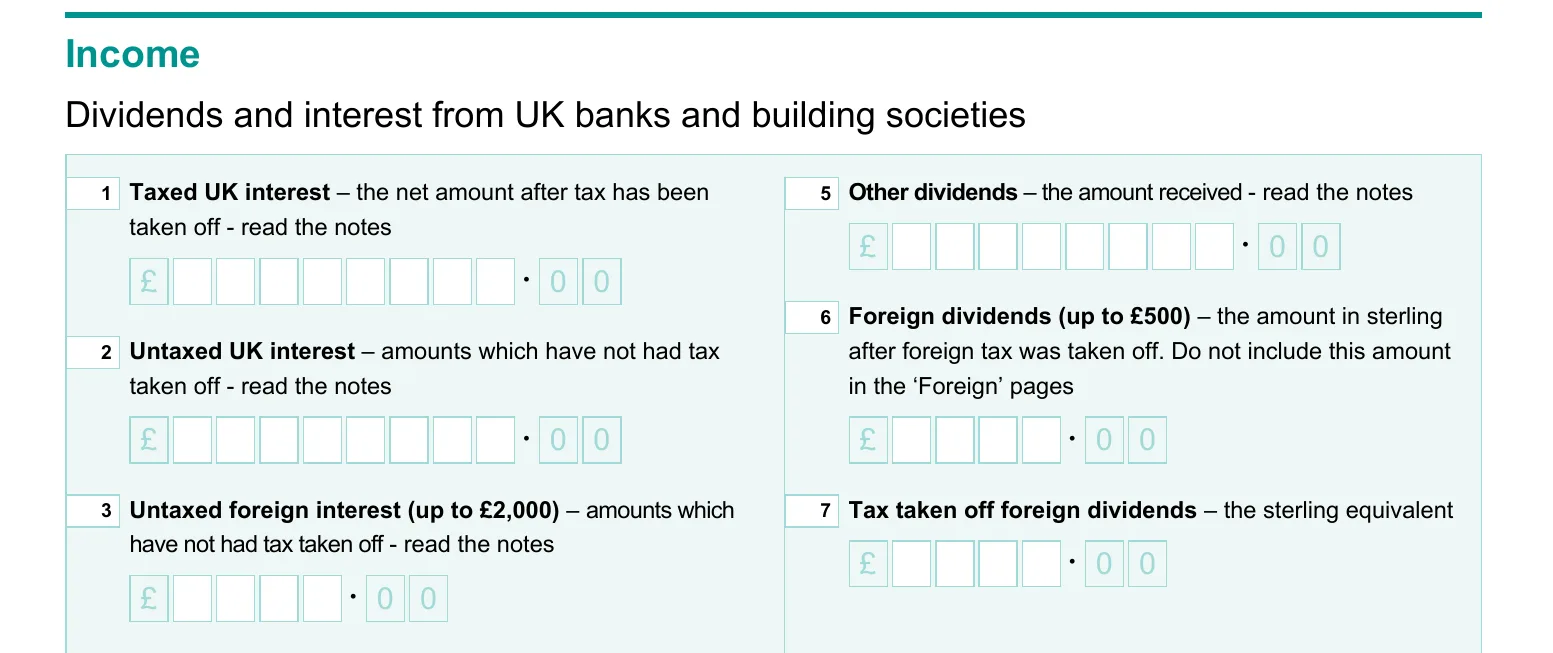
There's a shortcut for small amounts: if your foreign dividends are £500 or less and you're not claiming Foreign Tax Credit Relief, you can report them in box 6 on the SA100 main return instead of filling in SA106 at all. The calculator flags this for you.
SA100 — the main return
UK dividends and UK interest go straight on the main return. The only trick is keeping UK and foreign income apart — a foreign dividend with no tax withheld can look like a UK one if you only go by the totals. The calculator splits them by the holding's currency so each figure ends up on the right form.
How the calculator fills them in
Upload your broker CSV and you get a report with a Self Assessment guide built in: every section shows which box and the figure to type into it. SA108 disposals are grouped by asset class, the SA106 foreign grid is laid out country by country, and UK income is separated out for SA100. You copy the numbers across — no spreadsheet, no manual share-matching, no exchange-rate lookups.
See it on a real report: the foreign dividends example shows the SA106 grid with US, Irish and Cayman holdings, and the Trading 212 example shows a full SA108 mapping. Or upload your own file and check your figures in seconds.
Sources
- SA108 Capital Gains Summary — HMRC form and notes
- SA106 Foreign — HMRC form and notes
- HS263 — Calculating Foreign Tax Credit Relief on income
- Double Taxation Relief Manual — treaty summaries by country, with the withholding rates
- HMRC CG51560 — share identification rules
- How our report maps to each form — full documentation